ScreenToast / Blog / Screen recorders with auto zoom: 6 compared
Screen recorders with auto zoom: 6 tools compared
Auto zoom is the feature that turned screen recordings from "a video of my desktop" into something that looks produced. A screen recorder with auto zoom tracks where you click and zooms the frame in on those moments, no keyframes required. But the tools differ a lot in how they choose zooms and how much control you keep. Here's how six of them compare.
How auto zoom works
While you record, the app logs every click, keystroke and cursor position alongside the video. After you stop, it scores those events — where you clicked, how long you lingered, whether clicks cluster — and turns the important ones into zoom events. The quality differences come down to:
- Merging: does a flurry of clicks become one smooth move, or six jolts?
- Edges: does it ever zoom past the edge of the recording and show black?
- Following: when you drag a slider or scroll, does the zoom move with you?
- Editability: can you move, retime and delete individual zooms?
- Re-running: if you run it again, does it stack zooms on zooms?
The six tools
1. ScreenToast
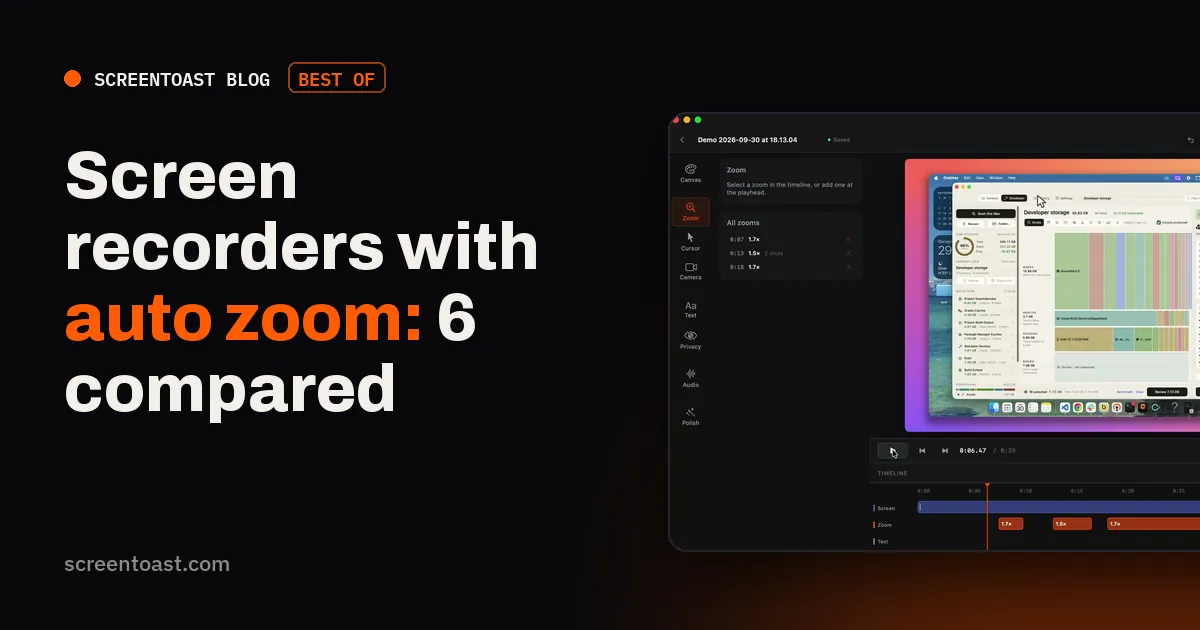
Scores your clicks and how long you lingered, merges bursts into one move, and never zooms past the frame edge. Four zoom types: Auto from clicks, Manual on one spot, Follow that travels with your pointer (switched on automatically when you drag), and a Glass Loupe that magnifies just a lens. Every zoom is a timeline block you can drag, retime, soften or delete, and re-running Auto Polish replaces its own work cleanly. Mac, $59/year to export, free to try.
2. Screen Studio
The tool that made auto zoom mainstream. Automatic or manual zooms with smooth easing. Mac, $108/year.
3. Screen Charm
Smart auto-zoom applied after recording, with a smooth cursor. Mac, $99 one-time at launch pricing.
4. FocuSee
Automatic zoom and cursor effects on both Mac and Windows. From $49.99/year.
5. CleanShot X
Smart zooms in its video editor — lighter than the dedicated tools but good for short clips. Mac, $35 once.
6. Cap
A zoom editor in Studio Mode; open source, Mac and Windows. Free for personal use, $58 lifetime for commercial.
At a glance
| Fully automatic | Follow cursor | Editable zooms | Platforms | Price | |
|---|---|---|---|---|---|
| ScreenToast | Yes | Yes | Yes | Mac | $59/yr |
| Screen Studio | Yes | — | Yes | Mac | $108/yr |
| Screen Charm | Yes | — | — | Mac | $99 once |
| FocuSee | Yes | — | — | Mac, Win | $49.99/yr |
| CleanShot X | Smart zooms | — | Yes | Mac | $35 once |
| Cap | Editor | — | Yes | Mac, Win | Free / $58 |
Checked on each vendor's own website on 20 October 2026. A dash means we couldn't confirm it, not that it's missing.
Auto zoom tips
- Click deliberately. Auto zoom keys off clicks; a pause before each click helps the app pick the right moments.
- Don't over-zoom. 1.5–2× is plenty for most UIs. Delete zooms on trivial clicks.
- Leave a beat after a zoom so the viewer can read before the next move.
Prefer doing it by hand? See how to add zoom effects to a screen recording.
Frequently asked questions
What is auto zoom in screen recording?
Auto zoom means the recorder notes where you click during a recording and adds zoom-ins on those spots automatically, so you don't have to keyframe them in an editor.
Which screen recorders have auto zoom on Mac?
ScreenToast, Screen Studio, Screen Charm and FocuSee add zooms automatically. CleanShot X and Cap have zoom tools in their editors.
Can I edit the automatic zooms?
In the good ones, yes. In ScreenToast every automatic zoom is a block on the timeline you can drag, retime, change the level of, or delete.
Try ScreenToast free.
Record and edit as much as you like, with no sign-in and no trial clock. Pro is $4.92 a month, billed yearly, when you're ready to export.
macOS 14 or later · Apple silicon and Intel · Under 10 MB